Summary Video:
A new feature for the MiScore App is the ability to show images and texts between hole swipes during the scoring session. This allows club's to communicate information to specific holes on the course to members directly on the App.
Hole notices can be enabled on request by emailing support@miclub.com.au and requesting the feature is turned on.
Creating MiScore Hole Notice Templates
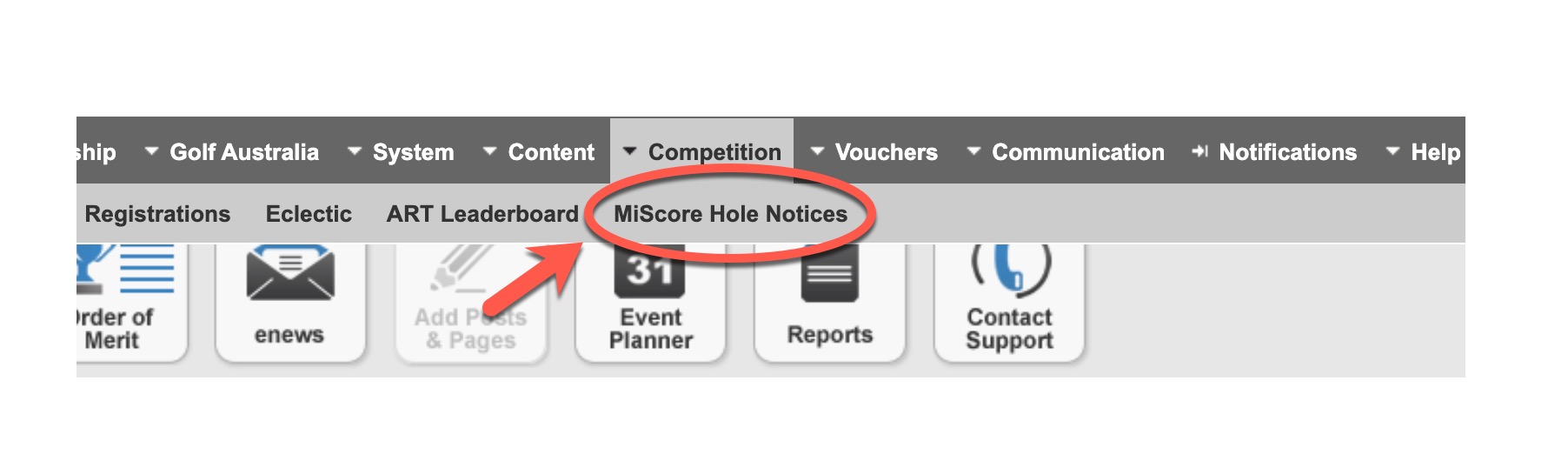
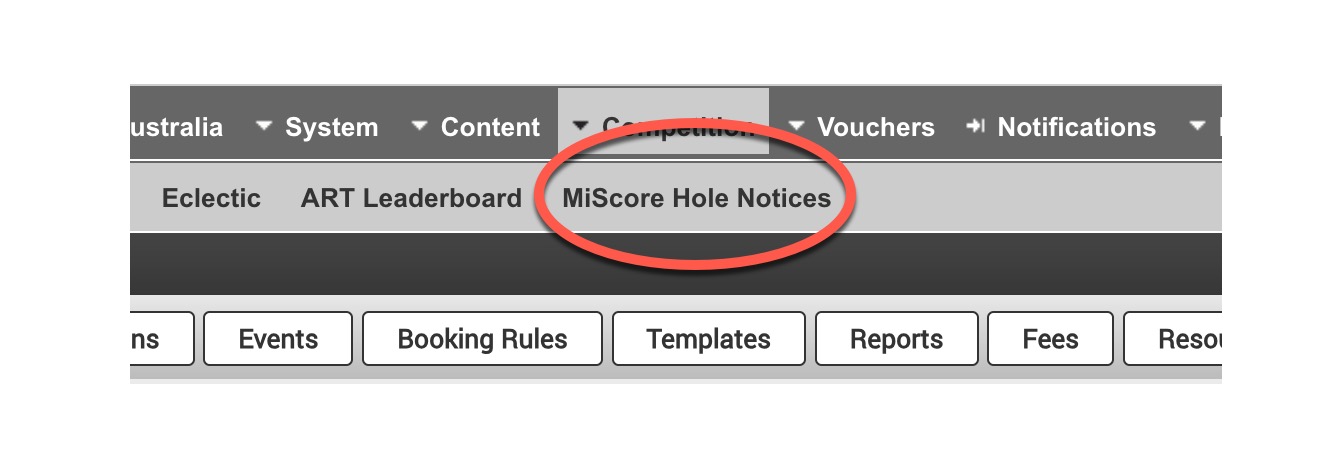
Once enabled to configure the notifications, the first step is to Create Hole Notice Templates navigate to Competition > MiScore Hole Notices
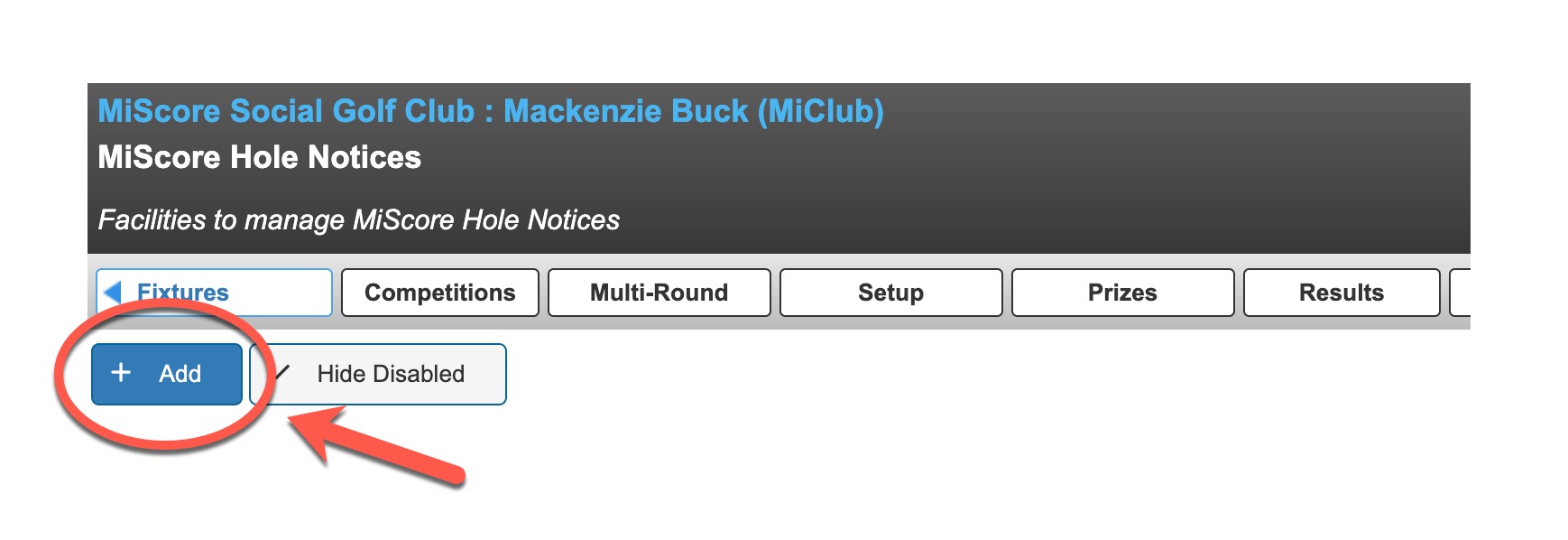
Create a new Notice by using the Add button
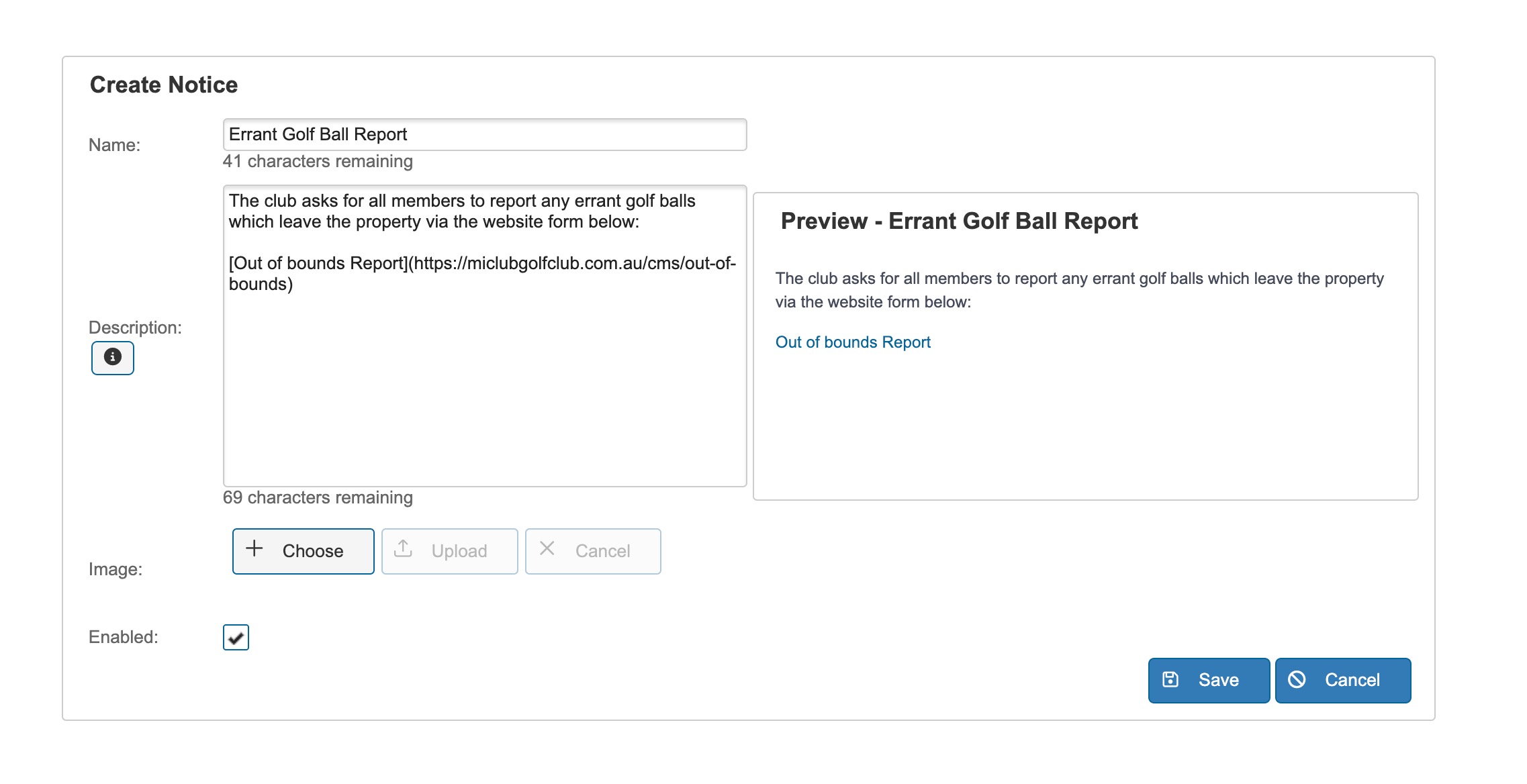
New hole notices can be configured with
- Title
- Description (with ability to link to webpages)
- Image (mandatory)
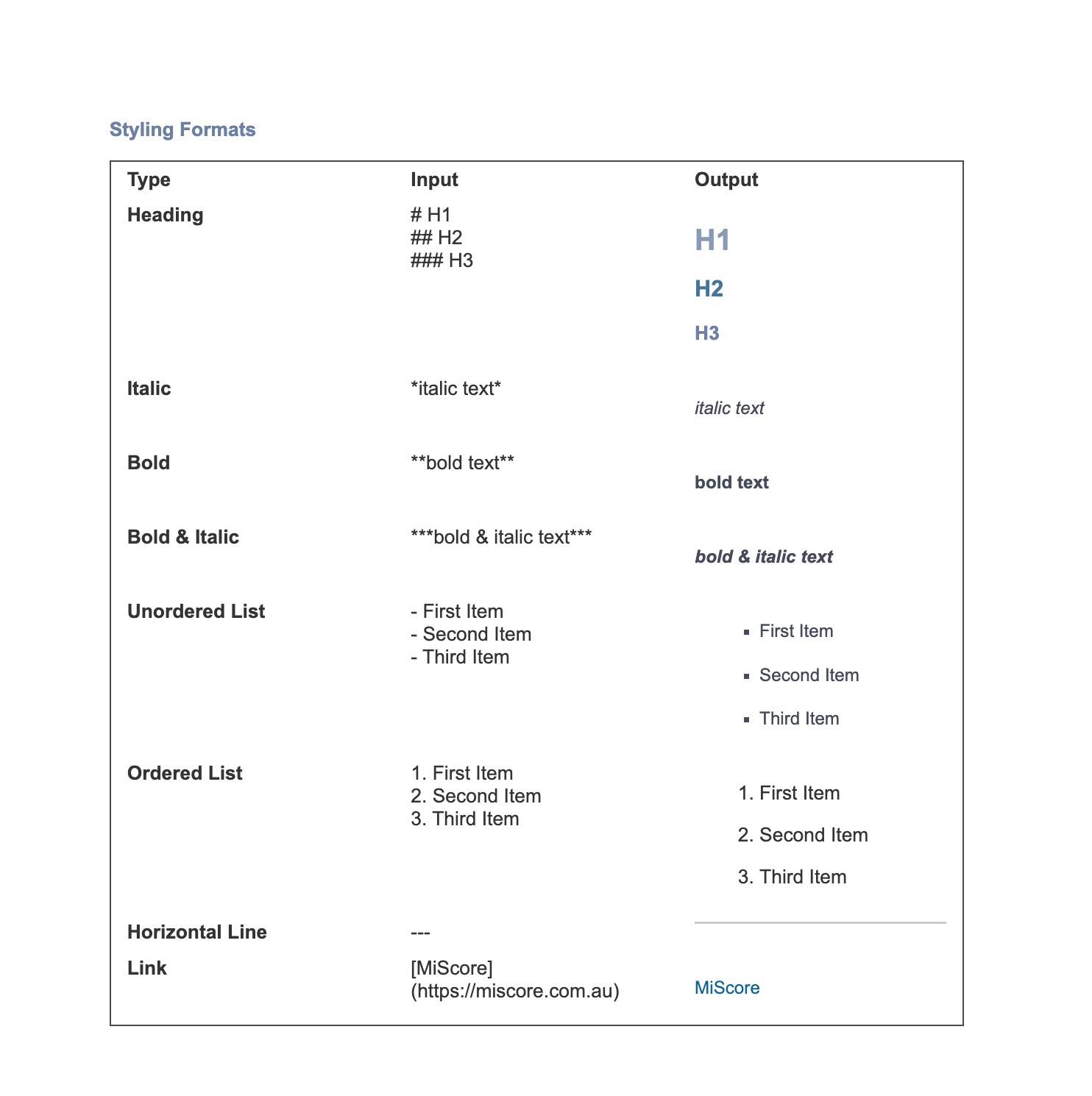
The description section allows for the following customisation options:
Applying MiScore Course Hole Notices
Once the templates have been created, the next step is to apply to specific holes on a course for display within a competition
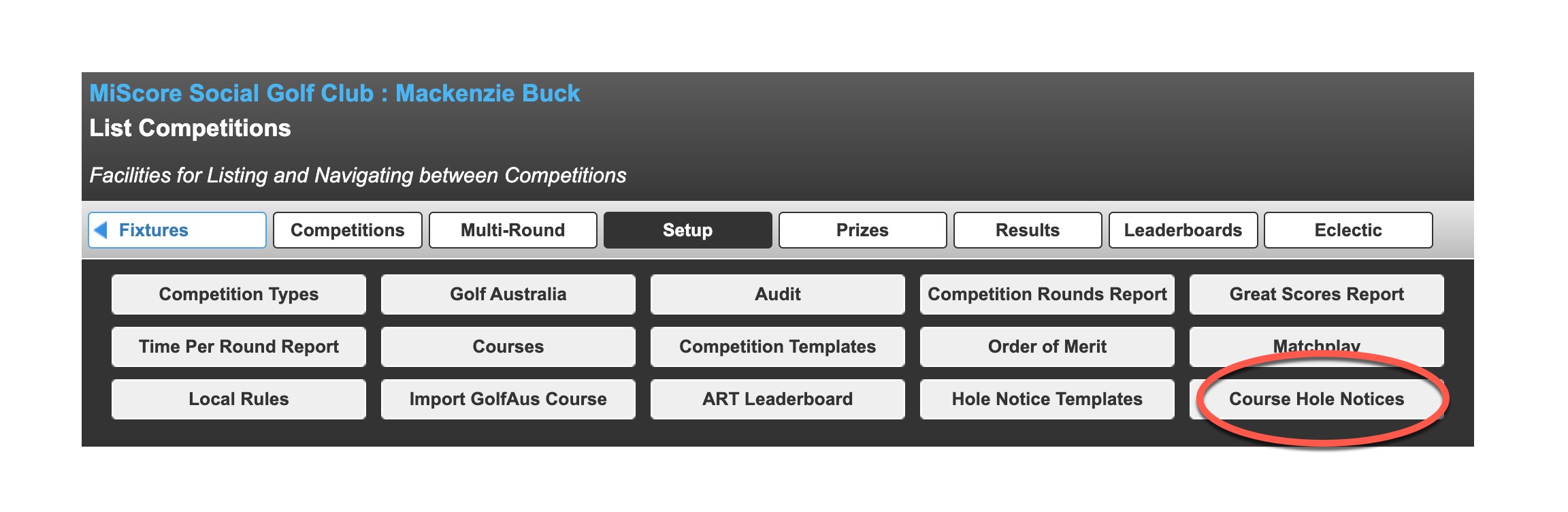
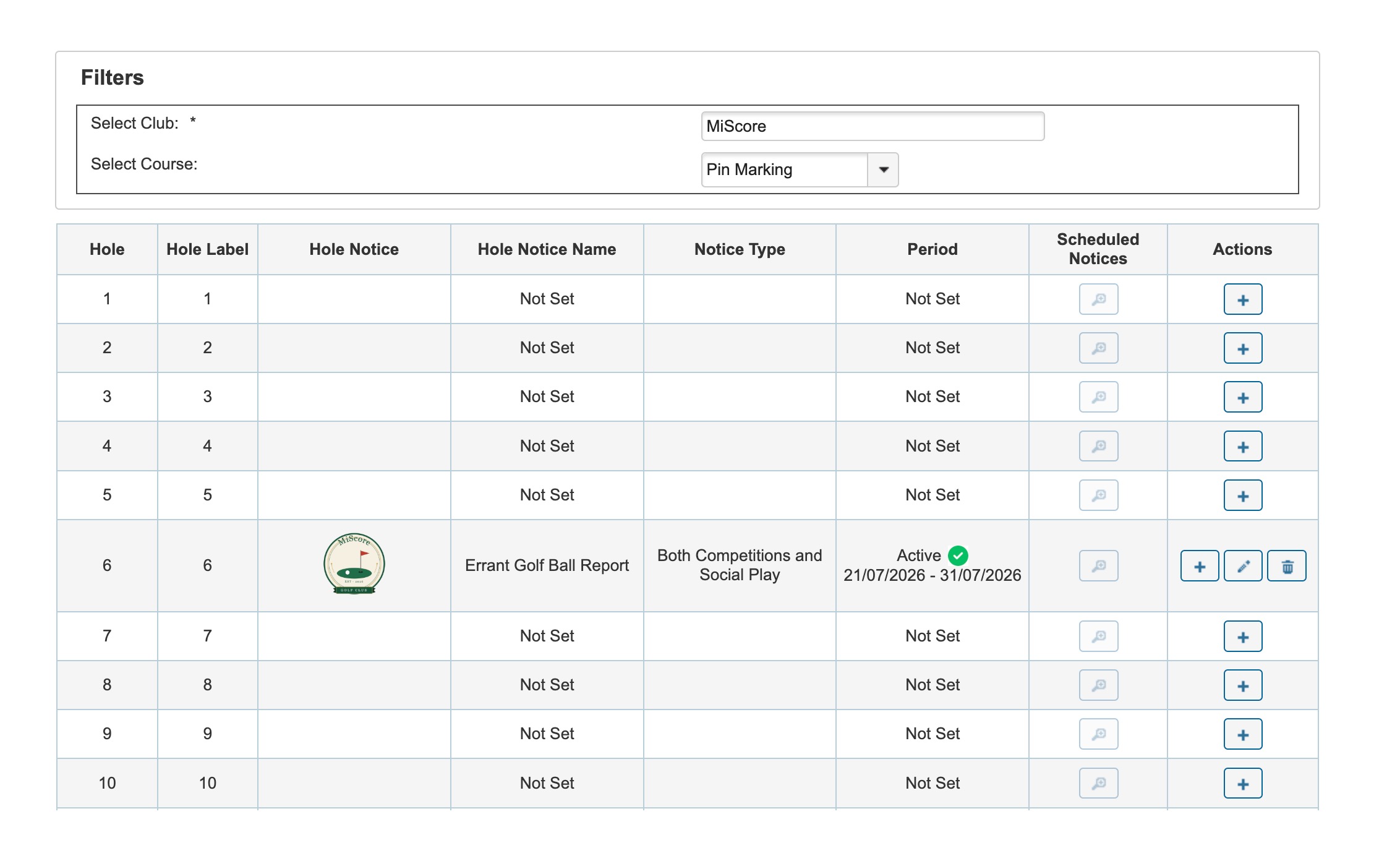
From the Competitions listing page, navigate to Setup > Course Hole Notices
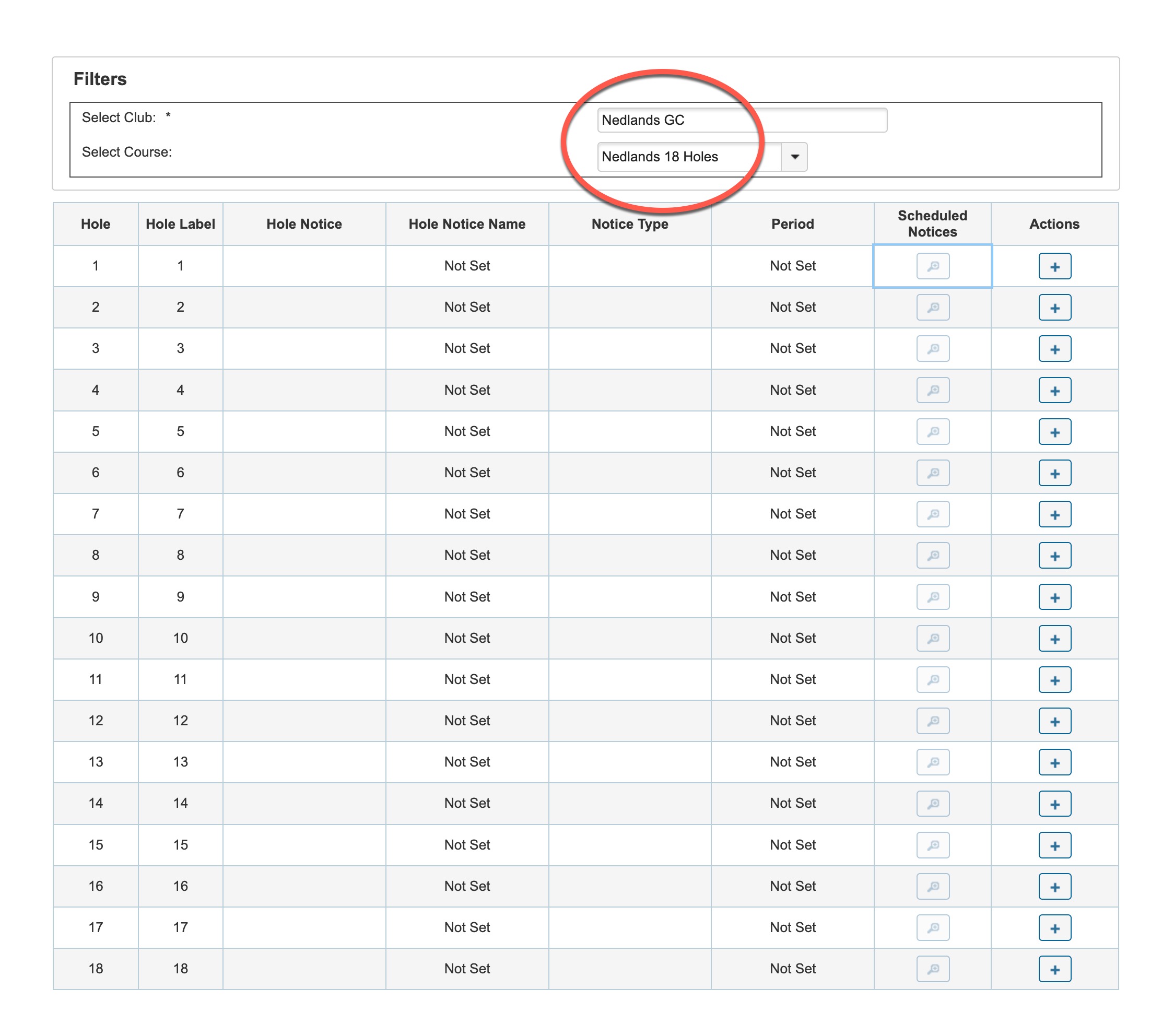
Search for the course which you want the hole notice to be active for:
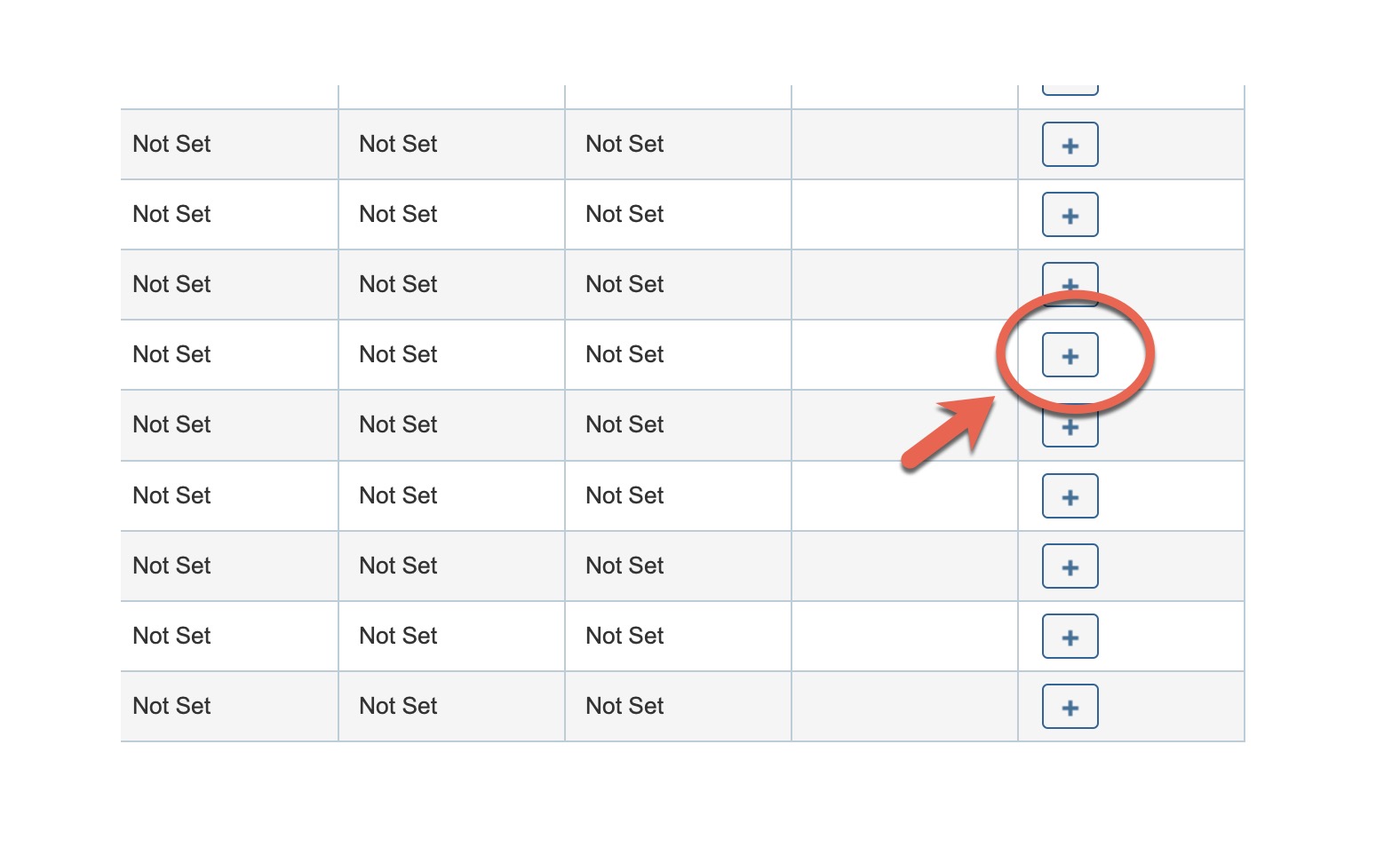
Select the plus icon on the specific hole you wish to have a visible hole notice for
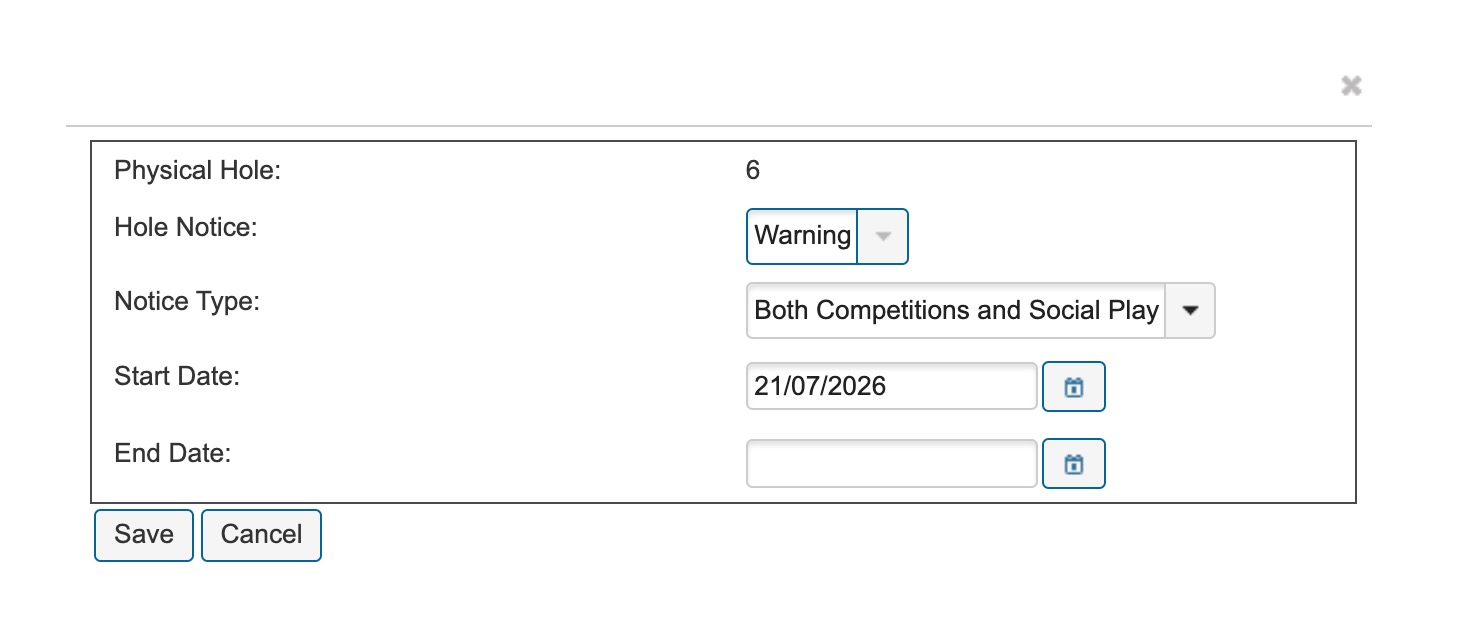
- Choose the Course Hole Notice Template
- Whether the notice is active for Competition Scoring or Social Scoring, or both.
- Start Date
- End Date
Once active and saved, it will appear on the hole notice page. You can configure multiple notices on multiple holes, or specific templates for different holes:
Maintaining and Editing MiScore Hole Notice Templates
To edit, manage and delete hole notice templates, navigate to Competitions > MiScore Hole Notices
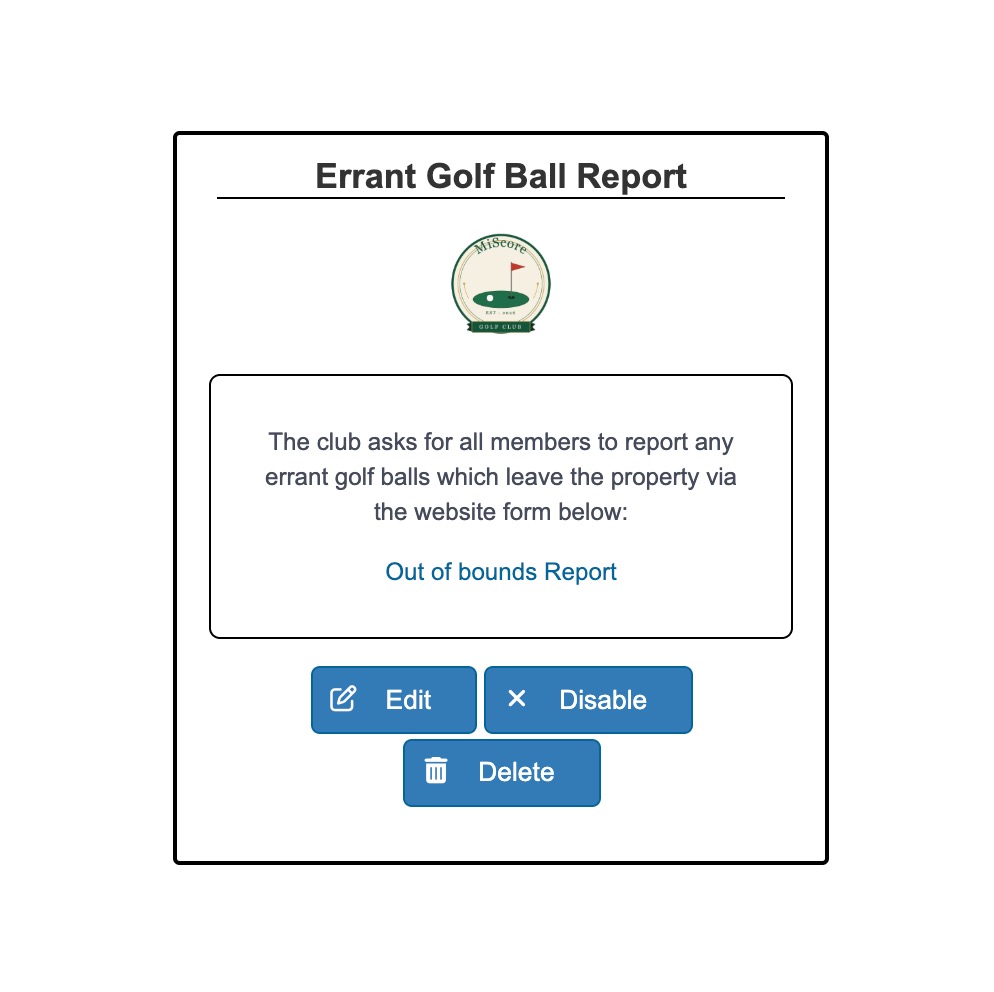
From this page you can disable and maintain the hole templates as required.
Member View Video:
Was this article helpful?
That’s Great!
Thank you for your feedback
Sorry! We couldn't be helpful
Thank you for your feedback
Feedback sent
We appreciate your effort and will try to fix the article