Benefits of Lottery Booking process
- Protects against booking bots – Prevents automated systems from gaining an unfair advantage when popular timesheets open, helping ensure bookings are made by genuine members.
- Creates a secure virtual waiting room – Members can join the draw before the timesheet opens, eliminating the need to repeatedly refresh or compete to access the booking page.
- Provides a fair and impartial booking process – Queue positions are randomly allocated for every draw, giving all participating members an equal opportunity to secure an earlier booking position over time.
- Removes technology-based advantages – The draw does not favour faster internet connections, newer devices, or specific platforms, creating a more level playing field for all members.
- Proven and trusted by clubs – Already used by more than 80% of MiClub Golf clients, Lottery Booking is a well-established solution for managing demand on heavily subscribed timesheets.
For more information on Lottery Booking, please refer to the sample video and step-by-step screenshot guides below.
Sample Video:
DESKTOP BOOKING:
Quick Link: https://vimeo.com/1209374670?share=copy&fl=sv&fe=ci
Embed Code:
<iframe title="vimeo-player" src="https://player.vimeo.com/video/1206684028?h=1a13d1390a" width="640" height="360" frameborder="0" referrerpolicy="strict-origin-when-cross-origin" allow="autoplay; fullscreen; picture-in-picture; clipboard-write; encrypted-media; web-share" allowfullscreen></iframe>
MOBILE BOOKING:
Quick Link: https://vimeo.com/1206687727?fl=pl&fe=sh
Embed Code:
<iframe title="vimeo-player" src="https://player.vimeo.com/video/1206687727?h=9ea5401d5c" width="640" height="360" frameborder="0" referrerpolicy="strict-origin-when-cross-origin" allow="autoplay; fullscreen; picture-in-picture; clipboard-write; encrypted-media; web-share" allowfullscreen></iframe>
STEP BY STEP GUIDE
Member Lottery Booking via desktop
1. Member selects JOIN DRAW from Fixture List
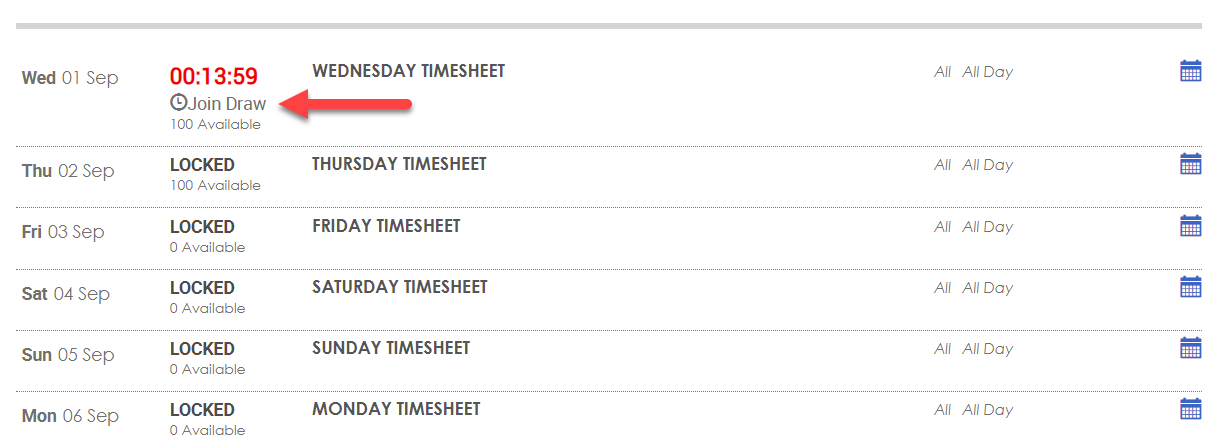
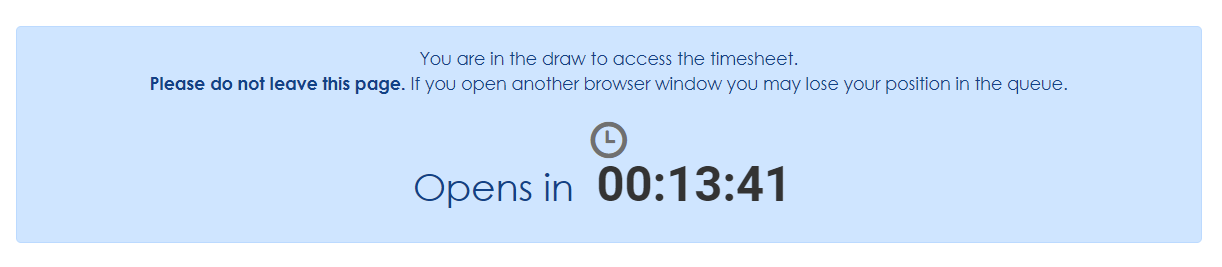
2. Fixture List will display countdown clock to timesheet opening. Once a member has entered the draw the Fixture List will display countdown clock to timesheet opening. Do not close the screen during this period.
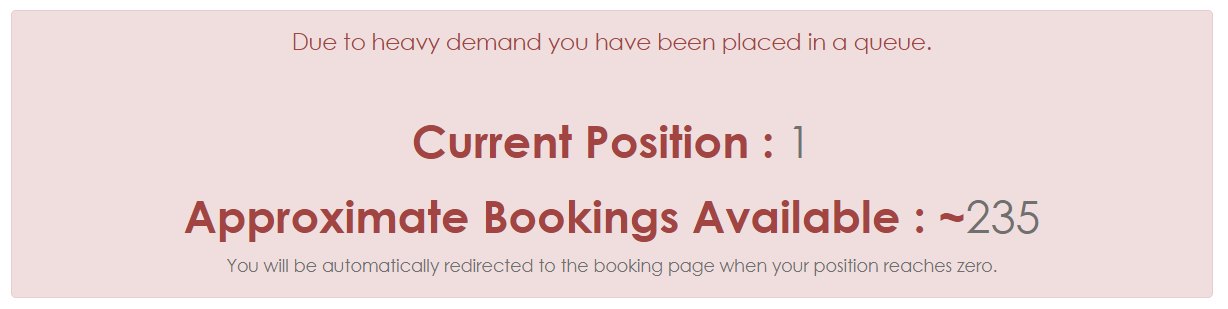
3. When timesheet opens, member will see their place in the queue. "Current Position" = 1 in the screenshot example below. The Current Position indicates the members place in the queue and will countdown to giving the member timesheet access as the earlier queue bookings are completed.
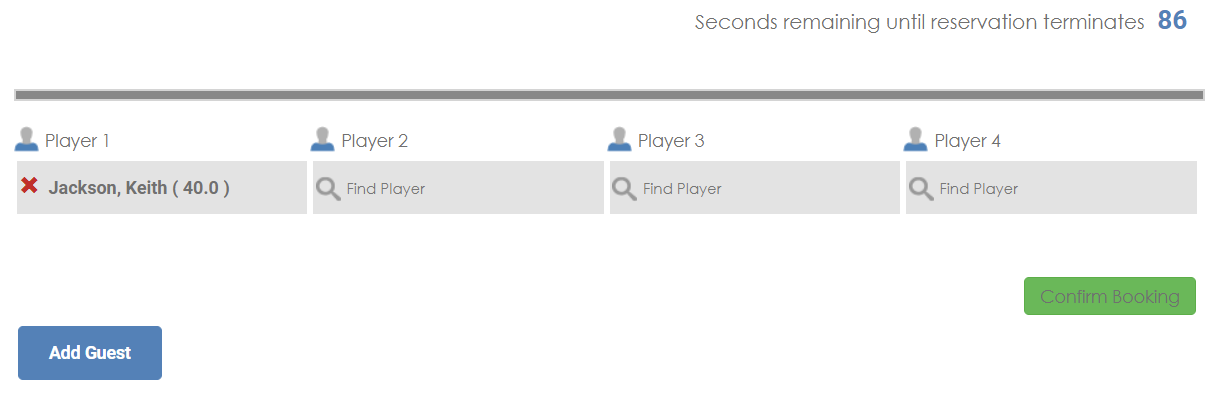
4. Once access to the timesheet has been granted, the member completes their booking(s) as normal. more information on Lottery Booking, please refer to the sample video and step-by-step screenshot guides below.
Member Lottery bookings via mobile phone or Club App
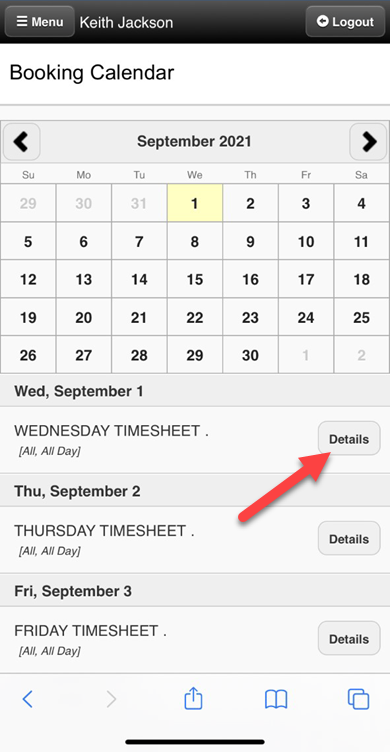
1. Member enters Lottery Booking draw via Fixture List and selecting DETAILS
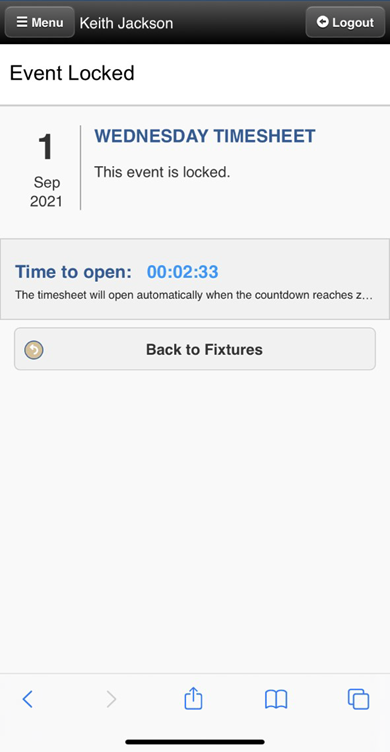
2. Member waits for timesheet opening as displayed by countdown clock
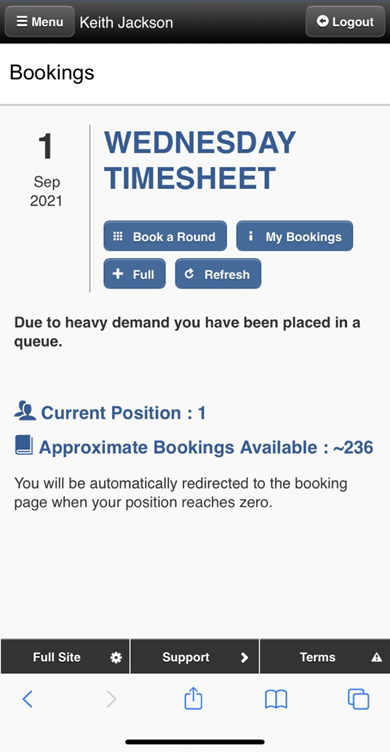
3. On Timesheet opening, member is displayed their place in the queue.
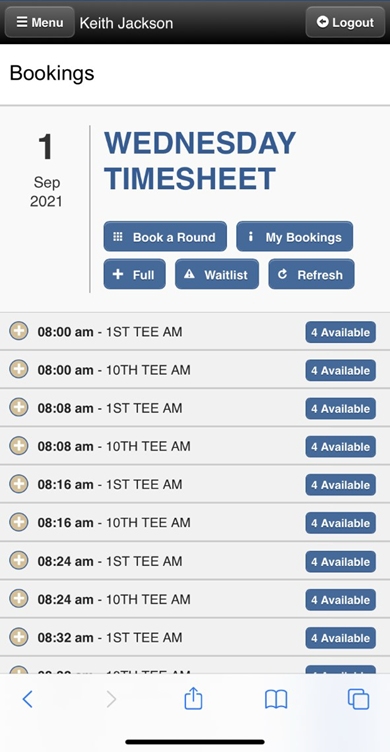
4. Once granted access to Timesheet, member completes bookings as usual.
Was this article helpful?
That’s Great!
Thank you for your feedback
Sorry! We couldn't be helpful
Thank you for your feedback
Feedback sent
We appreciate your effort and will try to fix the article